 Knowledge Center
Troubleshooting
How to Reduce Label Waste Matrix Breaks
Most matrix breaks come from a weak waste skeleton, a poor stripping angle, a dull die, high speed or unstable rewind torque.
Quick Answer
If the waste matrix breaks during die cutting or finishing, the most common causes are a weak matrix skeleton, too sharp a stripping angle, a dull or worn die, running too fast for the shape, adhesive stringing or wrong rewind torque. Check the matrix path and die condition first, then change one setting at a time.
Matrix breaks stop the line, create waste and can damage the finished roll. Fixing them is usually a matter of strengthening the skeleton, smoothing the stripping path and matching speed and torque to the material.
What Is the Waste Matrix?
In label die cutting, the die cuts through the label face material but usually leaves the release liner intact. The leftover face material around and between the labels is called the waste matrix. It is pulled away and rewound so the finished roll contains only the labels.
The matrix is naturally thin and weak in places, especially around narrow borders and between close shapes. When it breaks, the waste wraps around rollers, tears the labels or forces the line to stop.
Common Causes and Fixes
Step by Step Fix
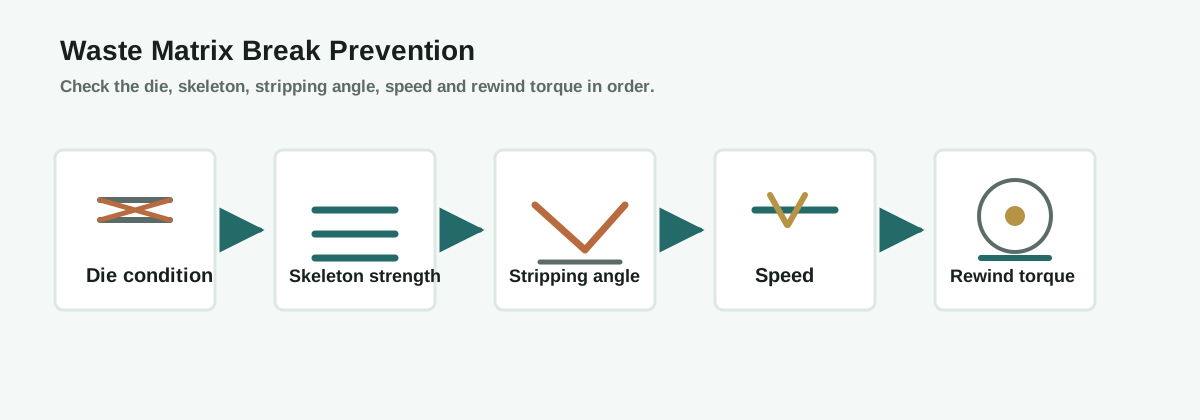
1. Inspect the die
A dull die leaves weak or partial cuts. Confirm the die cuts cleanly through the face material without cutting the liner, and check for worn blades or damaged areas.
2. Strengthen the skeleton
Review the die layout. A wider border, a stronger cross-direction waste strip or adjusted label spacing can make the matrix strong enough to strip without breaking.
3. Smooth the stripping path
Route the waste matrix over the minimum number of rollers and keep the stripping angle gentle. Sharp bends and rough rollers concentrate stress where the matrix breaks.
4. Match speed and torque
Run at a lower speed and set matrix rewind torque to collect the waste steadily. Then raise speed while watching the matrix, changing one setting at a time.
5. Check material and adhesive
Some adhesives string at speed or temperature, pulling the matrix apart. Confirm the adhesive and liner suit the die cut shape and the line speed.
Matrix Break Prevention Flow
How the Machine Configuration Helps
- Waste matrix path: fewer bends and rollers reduce break points.
- Matrix rewind: controlled torque prevents jerking and over-tensioning.
- Stripping angle: an adjustable take-off angle lets you tune for the shape and material.
- Web guiding and tension: stable web position keeps the matrix aligned and reduces sideways stress.
Prevention Checklist
- Keep the die sharp and inspect it regularly
- Design the label layout with enough matrix width
- Route the waste over the minimum number of rollers
- Run at the fastest stable speed, not the maximum speed
- Match matrix rewind torque to the material
- Confirm adhesive and liner behavior at production speed
FAQ
Why does the matrix break only on some jobs?
Shape complexity, border width, material and adhesive all change the matrix strength. A layout that runs on one material may break on a thinner face or a stringier adhesive.
Does die condition really cause matrix breaks?
Yes. A dull die leaves weak or half-cut areas that tear when the waste is pulled, so the die should be checked before changing machine settings.
How do I choose the stripping angle?
Use the gentlest angle that still separates the waste cleanly. Sharper angles increase stress on the matrix and cause breaks.
Should I lower the speed or raise the torque?
Start by lowering speed and setting a steady matrix rewind torque, then adjust one factor at a time while watching the matrix path.
What information should I send before asking for help?
Send the label layout, material and adhesive, web width, die condition, line speed and where exactly the matrix breaks.
Ask an Engineer
Still getting waste matrix breaks on your label jobs?
Send us your label layout, material and adhesive, web width, die condition and line speed. MWELLPACK can help you find the cause and recommend a practical fix.
Related Articles
Related Machines
Rotary Die Cutting Machine
High-speed roll-to-roll die cutting with matrix removal and rewind.
View machine guideDigital Label Finishing Machine
Finishing workflow with die cutting, matrix removal, slitting and rewinding.
View machine guideFlatbed Die Cutting Machine
Die cutting for thicker materials and jobs needing high cutting pressure.
View machine guide