 Knowledge Center
Troubleshooting
Label Lamination Problems and Solutions
Bubbles, wrinkles, delamination and curl usually come from film tension, nip pressure, adhesive or temperature, and are fixed one factor at a time.
Quick Answer
If lamination shows bubbles, wrinkles, delamination or curl, the most common causes are uneven film tension, wrong nip pressure, adhesive problems or unsuitable temperature. Check the film path and nip pressure first, then change one setting at a time.
Lamination bonds a clear or matte film over the printed label to protect it and improve appearance. When the lamination is not smooth, the label looks bad and may not die cut or rewind cleanly.
Common Causes and Fixes
Step by Step Fix
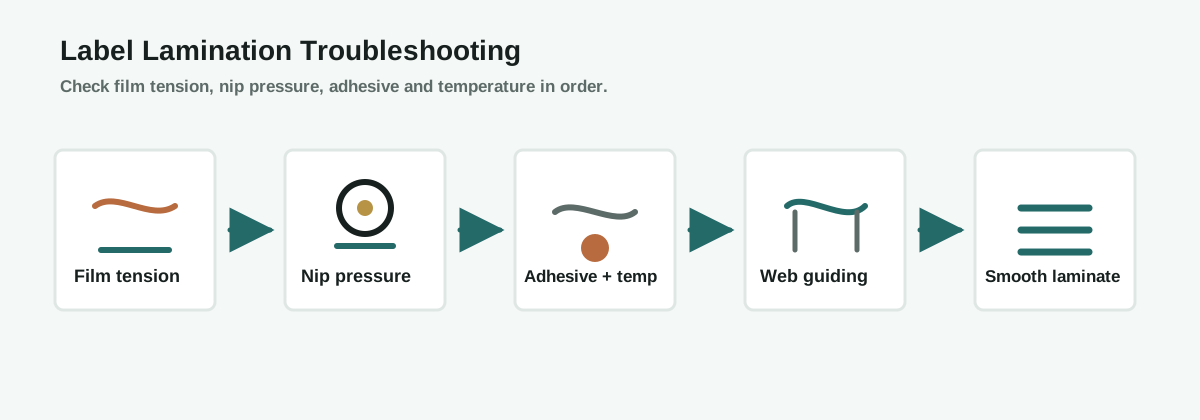
1. Check film tension
Uneven tension across the lamination film causes wrinkles and streaks. Balance the tension so the film is flat and centered before it reaches the nip.
2. Set nip pressure
The nip roller presses the film onto the label. Too little pressure leaves bubbles, while uneven pressure causes streaks. Confirm even pressure across the full width.
3. Confirm adhesive and temperature
Cold lamination relies on pressure-sensitive adhesive, while thermal lamination needs the right temperature. Confirm the adhesive and temperature suit the film and label material.
4. Check web guiding and roll alignment
Misaligned rollers or weak web guiding shift the film sideways and create wrinkles. Confirm the film and label stay aligned through the lamination station.
Lamination Troubleshooting Flow
How the Machine Configuration Helps
- Nip roller: even, adjustable pressure removes air and bonds the film.
- Film tension control: keeps the lamination film flat and wrinkle-free.
- Web guiding: keeps film and label aligned before lamination.
- Temperature or drying: matched to the adhesive type for a strong bond.
Prevention Checklist
- Balance lamination film tension across the width
- Keep the nip roller clean and evenly set
- Match adhesive and temperature to the film and label
- Confirm web guiding before the lamination station
- Run at the fastest stable speed, not the maximum speed
FAQ
Why do bubbles appear after lamination?
Bubbles usually come from air trapped between the film and label, often caused by low nip pressure, uneven film tension or unsuitable adhesive.
What causes lamination wrinkles?
Wrinkles come from uneven film tension or web misalignment, where one side of the film is looser than the other.
Why does the lamination peel off?
Delamination is usually an adhesive compatibility or bonding problem, often fixed by checking adhesive, nip pressure and curing or drying.
What causes the label to curl after lamination?
Curl happens when the film and label shrink differently, so balancing film and label tension and matching materials usually helps.
What information should I send before asking for help?
Send the label material, lamination film, adhesive type, web width, line speed and where exactly the defect appears.
Ask an Engineer
Still getting lamination defects on your labels?
Send us your label material, lamination film, adhesive type, web width and line speed. MWELLPACK can help you find the cause and recommend a practical fix.
Related Articles
Related Machines
Digital Label Finishing Machine
Finishing workflow with lamination, die cutting, slitting and rewinding.
View machine guideFlexo Printing Machine
Prints labels with inline lamination and finishing options.
View machine guideInspection Slitter Rewinder
Checks laminated rolls for defects before slitting and rewinding.
View machine guide